e-Houwiya/MobileID has a serious UX problem
e-Houwiya, also called MobileID, is Tunisia's government-backed identity platform. I have been using it for a little over a year and I've got several issues with the way the login form works that I need to talk about.
Preface
I think e-Houwiya is a step in the right direction.
My current stance is that e-Houwiya's reliance on SMS verification opens the system to more than a few vulnerabilities that simply cannot be addressed unless they exchange it with a more secure verification layer (like TOTP or hardware key verification).
Nevertheless, my thoughts on the security implementation are the topic of another day, today I want to focus solely on MobileId's misguided UX which makes the service an utter pain to use day-to-day.
What we expect
-
The ability to copy and paste form input:
- Password manager extensions should not fail to automatically insert your login credentials
- A user should have no problem trying to paste their credentials from an external password manager (one they've installed outside of their browser)
- The ability to manipulate the contents of the form without breaking common user access (CUA) conventions
- Form validation should prevent you from entering prohibited characters
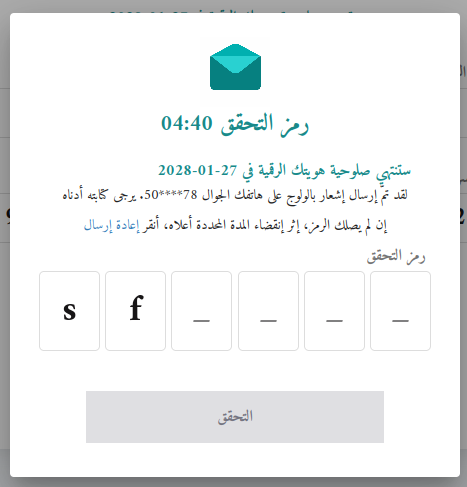
- Resending the verification SMS should not reset all user input
What we get
MobileId fails on every account with regards to my own personal expectations of what it should provide as a tool that I'm supposed to use every day.
Let's run through those expectations to understand what I mean:
-
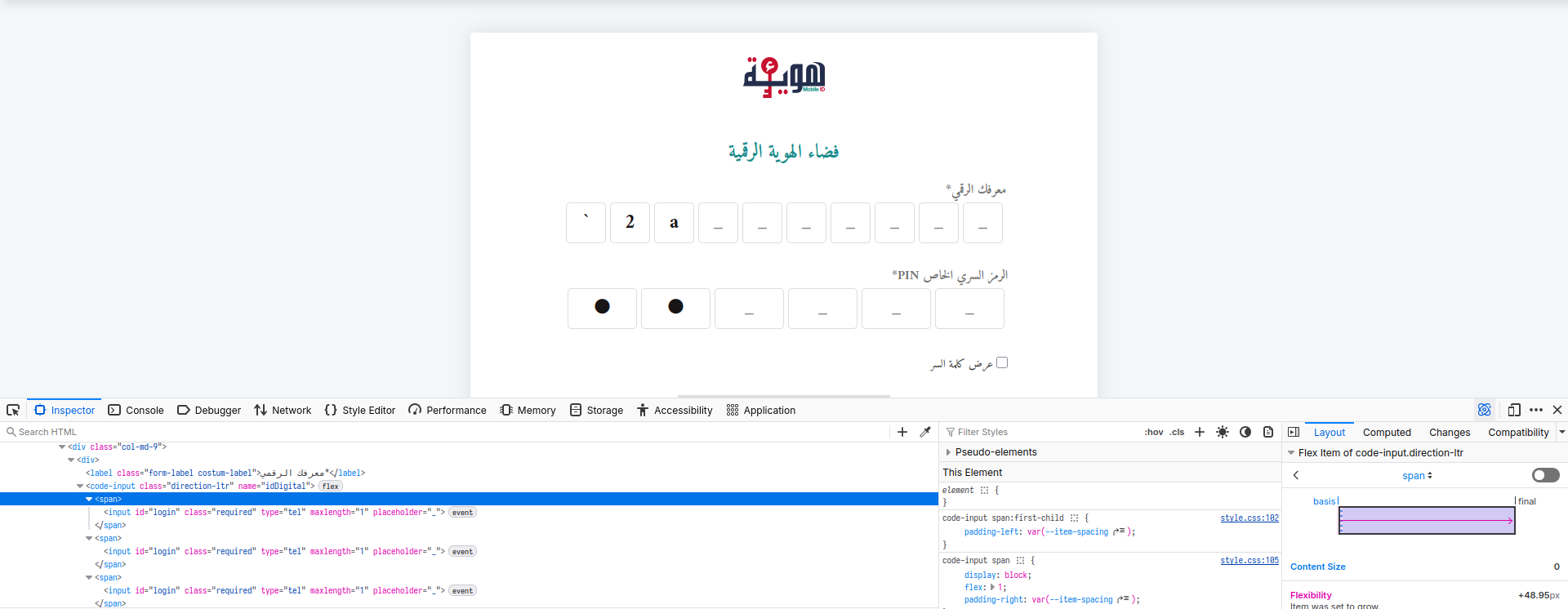
You cannot copy and paste data into the form: the reason for this is because the form has been split into 10 individual
inputfields... Seriously? Why?-
You use a password manager to stay safe? Think again.
-
You use assistive technology? Tough luck, that screen reader is going to struggle to make sense of the DOM.
-
- You didn't receive your SMS? Too bad, re-enter all your credentials.
-
You cannot rely on the conventions of common user access to navigate fields
- Reverse-tabbing (Shift+Tab) doesn't work when the preceding field contains a character
- You cannot use your arrow keys to navigate between every digit
- You cannot use the backspace key to delete more than one digit
- If you're a fast typist, you might even be able to out-pace the navigation logic they implemented to move you from one field to the next
- MobileId only uses digits but the form still lets you enter symbols and alphabetical characters
What now?
MobileId's form logic is, as of the date of publication, around 400 lines of JavaScript (embedded directly in the HTML document), 90 of those lines are spent poorly reimplementing what HTML natively provides in one simple and effective attribute: <input type="number">
I hope someone from Sirat, TunTrust or whomever's managing the project sees this post and views it as suggestions for improving the service for everyone using it. I'd love to see MobileId integrated in more and more government services as it makes my life a lot easier. One could only hope.
Update
I reached out to SIRAT who quickly responded saying they "think" that the project is now "owned" by the Ministry of Information and Communication Technologies. SIRAT is the name of a company that appears at the foot of the eHouwiya login form. I presume the project was initially contracted out to them.
So, I reached out to said ministry though I have yet to receive a response. I'll update this post as I receive more information.